1st Wave of ULM Completed, These are The Following Schedule for Announcement of UTBK Results
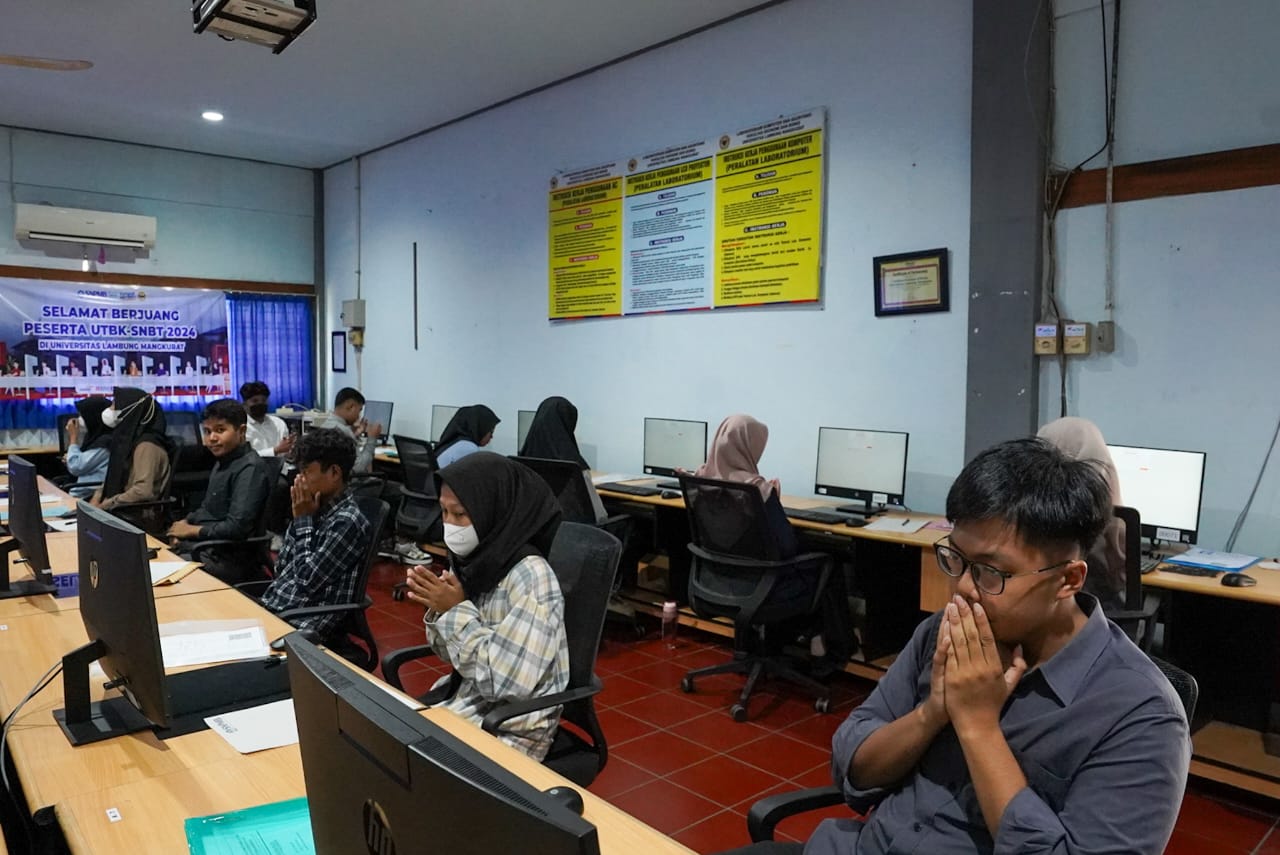
The implementation of the first waveof the Computer-Based Written Examination (UTBK) for the 2024 National Selection Based on Test (SNBT) at Lambung Mangkurat University (ULM) has been completed. UTBK SNBT 2024 ran smoothly and according to schedule, namely April 30 and May 2-7 2024 for the implementation of the first wave. A total of 9,176 test takers attended out of a total of 9,484 UTBK registrants at ULM.
During the test, UTBK participants were asked to complete a total of 155 questions in around 195 minutes or 3 hours 15 minutes. Based on the official SNPMB website, the announcement of the new selection results can be seen on June 13 2024. The new UTBK-SNBT score certificate can be accessed and downloaded from June 17-July 31 2024. This certificate can be used to re-register for participants who pass. Meanwhile, participants who have not passed can use the certificate to take part in the independent selection which requires a UTBK score.
The UTBK certificate download period starts on June 17 2024 and will close on July 31 2024 at 15.00 WIB. The following is a tutorial for downloading the UTBK-SNBT certificate to see the score or value of each participant:
- Go to the SNPMB page at https://portal-snpmb.bppp.kemdikbud.go.id
- Select the “Login” menu in the top right corner
- Type the registered email address and password and click “Sign In”
- Click “UTBK-SNBT Registration” and select “UTBK Certificate”
- When the certificate page appears, download the certificate file in PDF form by clicking “Download Result Certificate”
- Finally, save the UTBK SNBT 2023 certificate PDF file on the device.
Apart from this method, participants can later download via the announcement of the SNBT selection results, here are the steps:
- Go to the SNBT selection results announcement site
- Type the 12 digit participant number and date of birth in the columns provided
- Check the statement that says it has been accepted and the acceptance status will be canceled if a situation occurs in the UTBK at a later date
- Click “View Results”
- Next, the UTBK-SNBT certificate will appear on the site page
- Select the “Download” menu to download the UTBK certificate to the device storage space.